Tech gifts can make everyday listening, working, gaming, and organizing a little easier. These 14 ideas range from compact accessories to bigger upgrades for a home setup.
Consider how the recipient uses their devices and what connections they need; compatibility matters as much as the feature list.
14 Gift Ideas for People Who Love Tech
FIFINE T669 USB Condenser Microphone Kit

- Connects to a PC or laptop with a plug-and-play USB connection.
- Includes an adjustable boom arm stand and shock mount.
- A double pop filter helps reduce popping sounds during recording.
Best Gift For: A home podcaster or voiceover hobbyist building a desktop recording setup.

Audioengine A2+ Wireless Computer Speakers

- Built for nearfield listening on a desk.
- Can connect to phones, tablets, and computers over Bluetooth.
- Hand-finished real wood cabinets help reduce unwanted resonance.
Best Gift For: A desktop listener who wants speakers for music, games, and video calls.
Valerion VisionMaster Pro2 Triple Laser Projector
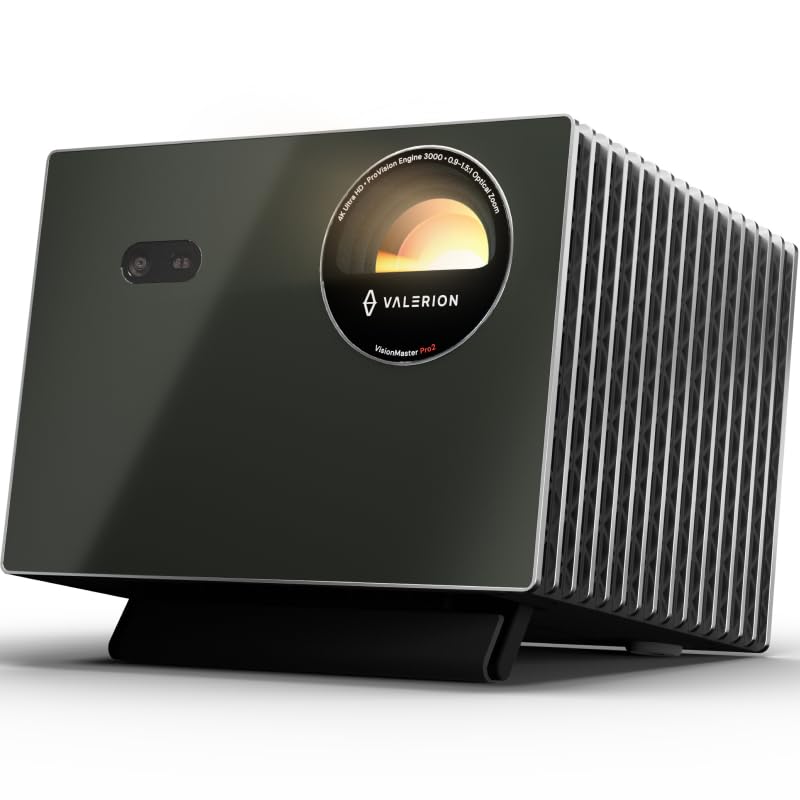
- Projects 4K UHD content with AI Super Resolution.
- Auto-adjusting focus and keystone correction help adapt the picture to a room.
- Includes Google TV+ and supports AirPlay 2, Miracast, and Chromecast.
Best Gift For: A movie or gaming fan planning a large-screen home entertainment setup.
TP-Link BE6500 Dual-Band WiFi 7 Router
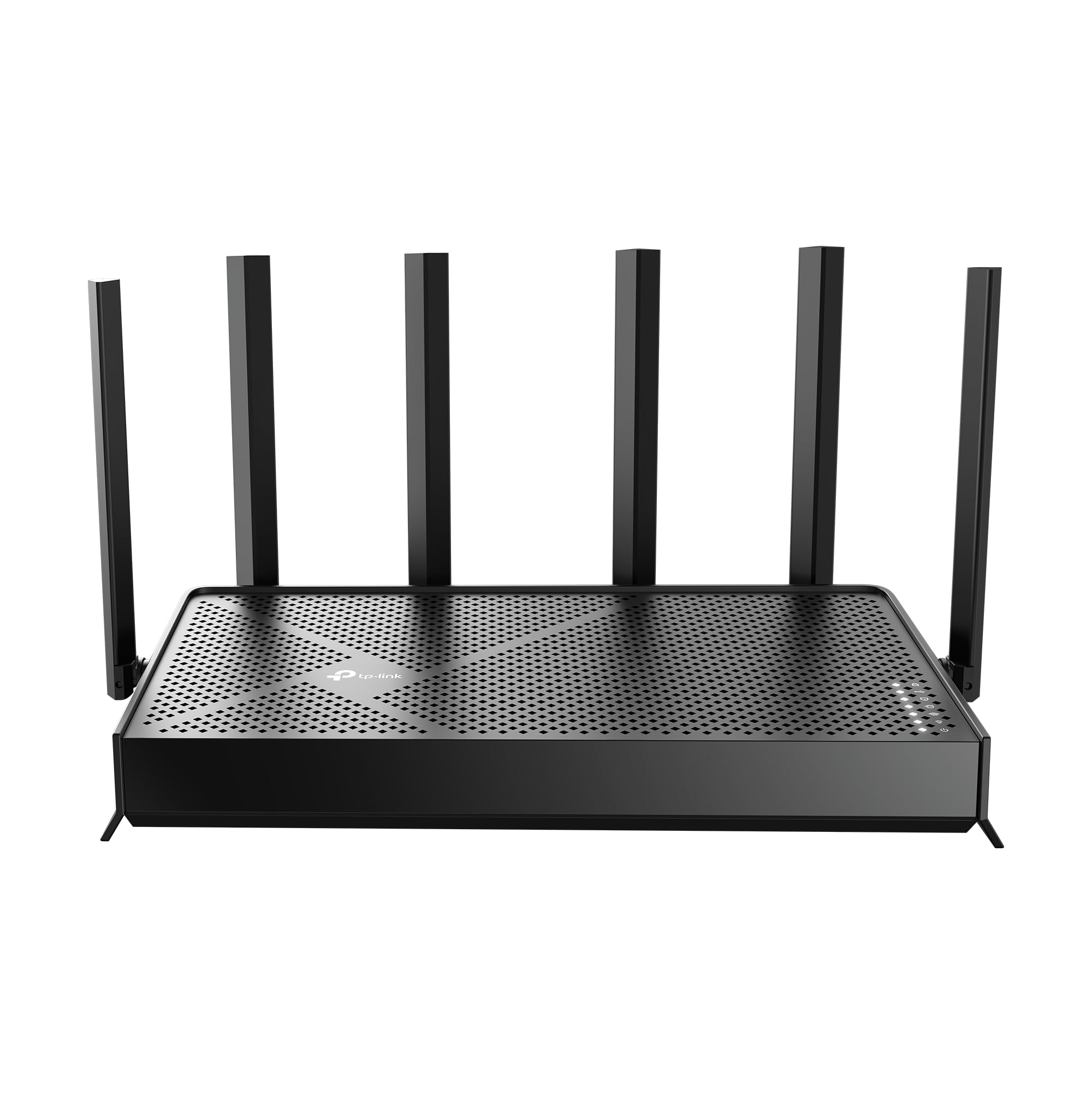
- Designed with Wi-Fi 7 technology and Multi-Link Operation.
- Provides up to 2,400 sq. ft. of maximum coverage.
- Offers wired connections through one 2.5 Gbps WAN/LAN port and one 2.5 Gbps LAN port.
Best Gift For: A household with many connected devices that wants to refresh its home network.
SABRENT USB-C 6-Port Hub & M.2 SSD Dock

- Supports up to 90W bypass charging power delivery.
- The HDMI port supports an external display at up to 4K@60Hz.
- Includes an internal slot for an M.2 SATA or NVMe SSD.
Best Gift For: A laptop user who wants a travel hub with extra connections and storage support.
SHOKZ OpenFit Open-Ear Bluetooth Earbuds

- The open-ear design uses an ultra-soft silicone cushion.
- The earhooks are designed for a personalized fit.
- The charging case provides up to 28 hours of listening time.
Best Gift For: A listener who wants audio while staying connected to their surroundings.
JLab Go Work Wireless Headset

- Bluetooth multipoint connects to two devices simultaneously.
- Includes a USB-C to 3.5mm cable for wired listening.
- The boom microphone rotates away for listening only.
Best Gift For: A remote worker or student who switches between computer and mobile calls.
HUANUO FlowLift Dual Monitor Stand

- Fits computer screens sized 13 to 32 inches.
- Offers C-clamp and grommet mounting options.
- Built-in cable management guides wires along the arms.
Best Gift For: A desk worker or gamer with two compatible screens and a suitable desk.
SteelSeries Apex Pro TKL Gaming Keyboard

- Offers 40 levels of per-key actuation.
- A key can be programmed for two different actions.
- The keyboard has a detachable USB-C connection.
Best Gift For: A PC gamer who wants adjustable keyboard controls for different games.
SteelSeries Aerox 3 Wireless Gaming Mouse

- The holey shell reduces the mouse weight to 68g.
- Supports both 2.4GHz wireless and Bluetooth 5.0 connections.
- The mouse interior is shielded from water splashes, dust, and dirt.
Best Gift For: A PC gamer who prefers a lightweight wireless mouse for play.
LISEN Ultra Slim MagSafe Power Bank
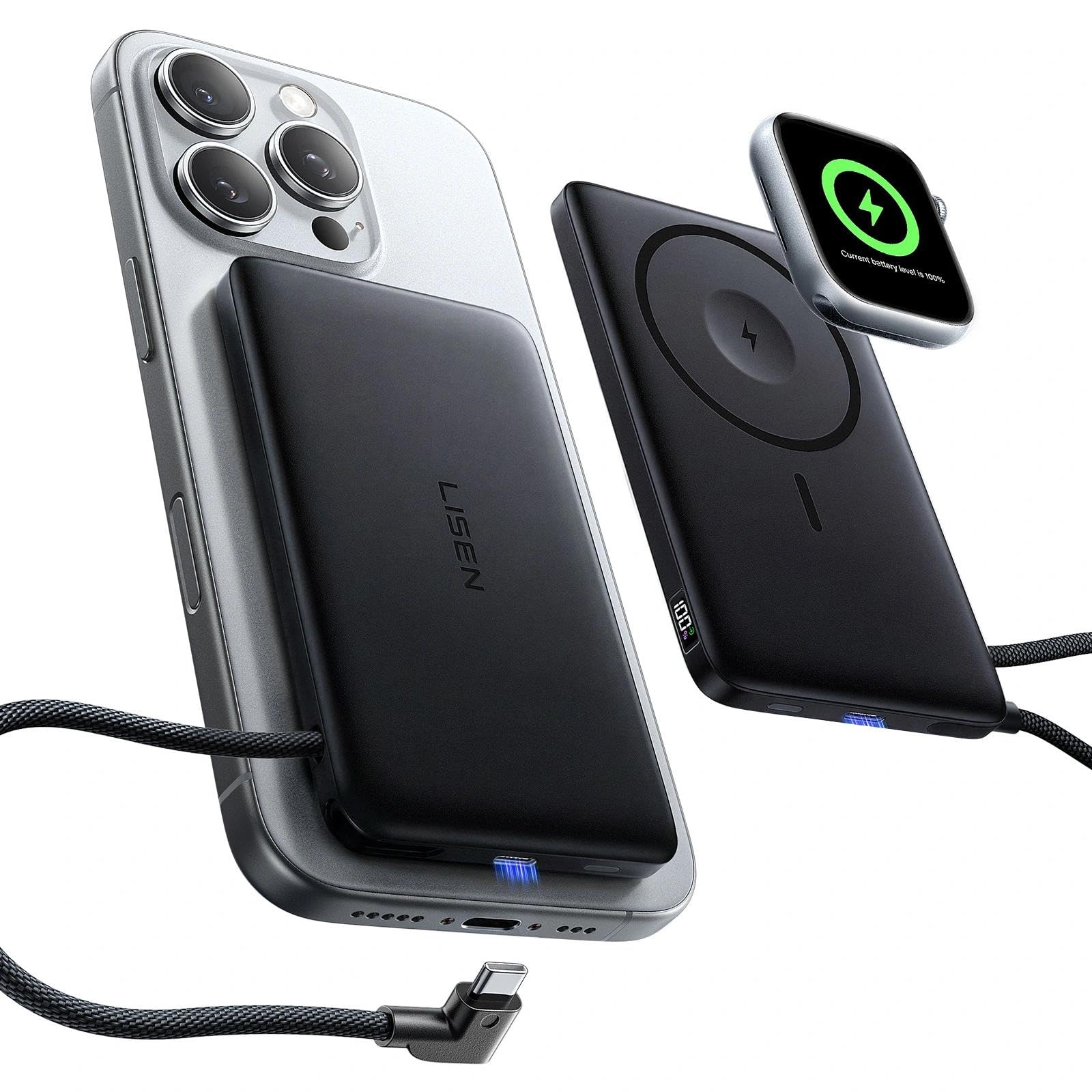
- The 0.5-inch body supports MagSafe charging and Apple Watch charging.
- A built-in USB-C cable supports 20W fast charging.
- A digital display shows remaining power and charging status.
Best Gift For: An iPhone and Apple Watch owner who wants portable charging options.
Phomemo D30 Bluetooth Label Maker with 3 Tapes
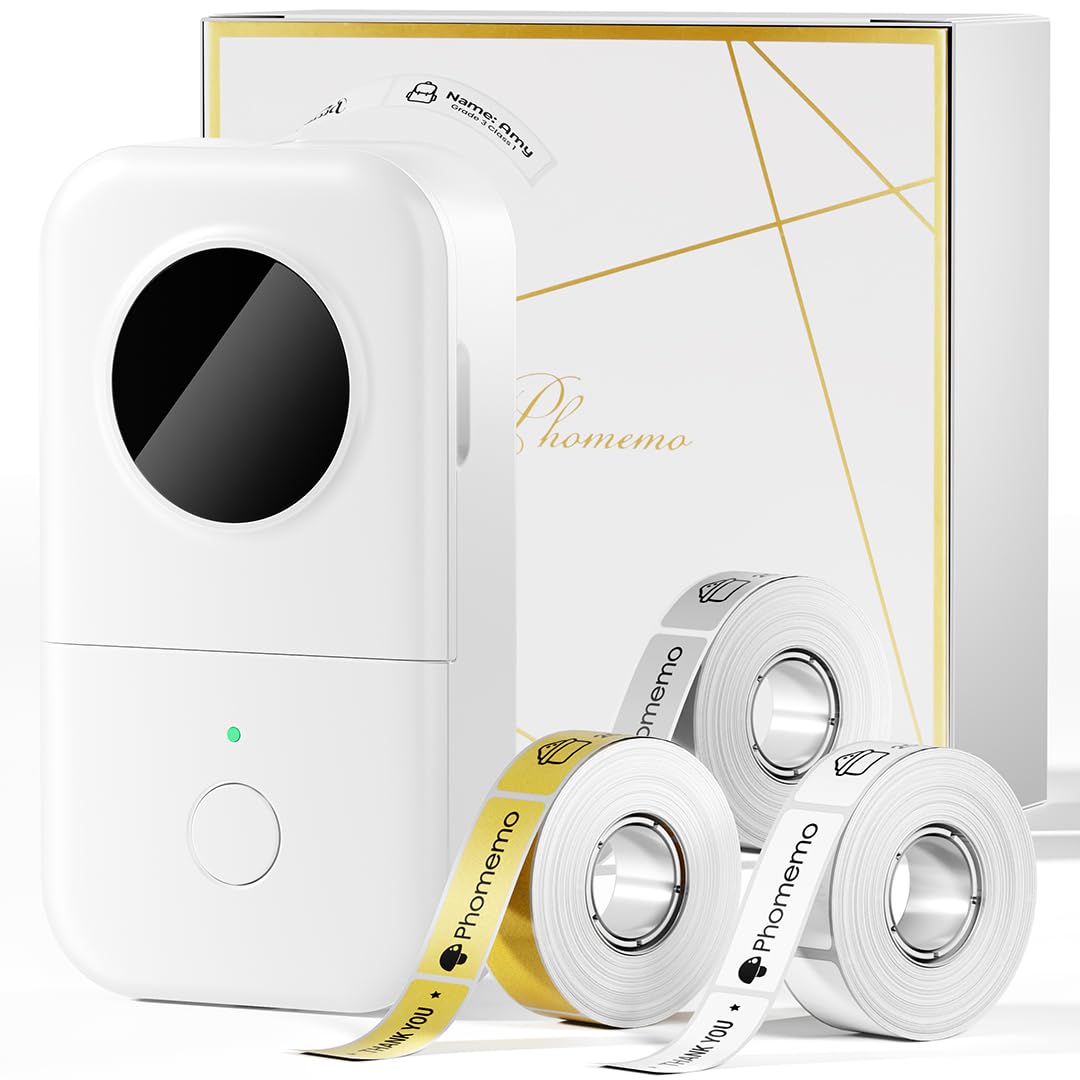
- Includes three tapes: white, gold, and clear.
- Prints without ink, toner, or ribbons.
- Creates labels from Bluetooth-connected mobile devices.
Best Gift For: A home or office organizer who likes labeling supplies, cables, and personal items.
Sleek Socket Flat Outlet Concealer with 3ft Cord
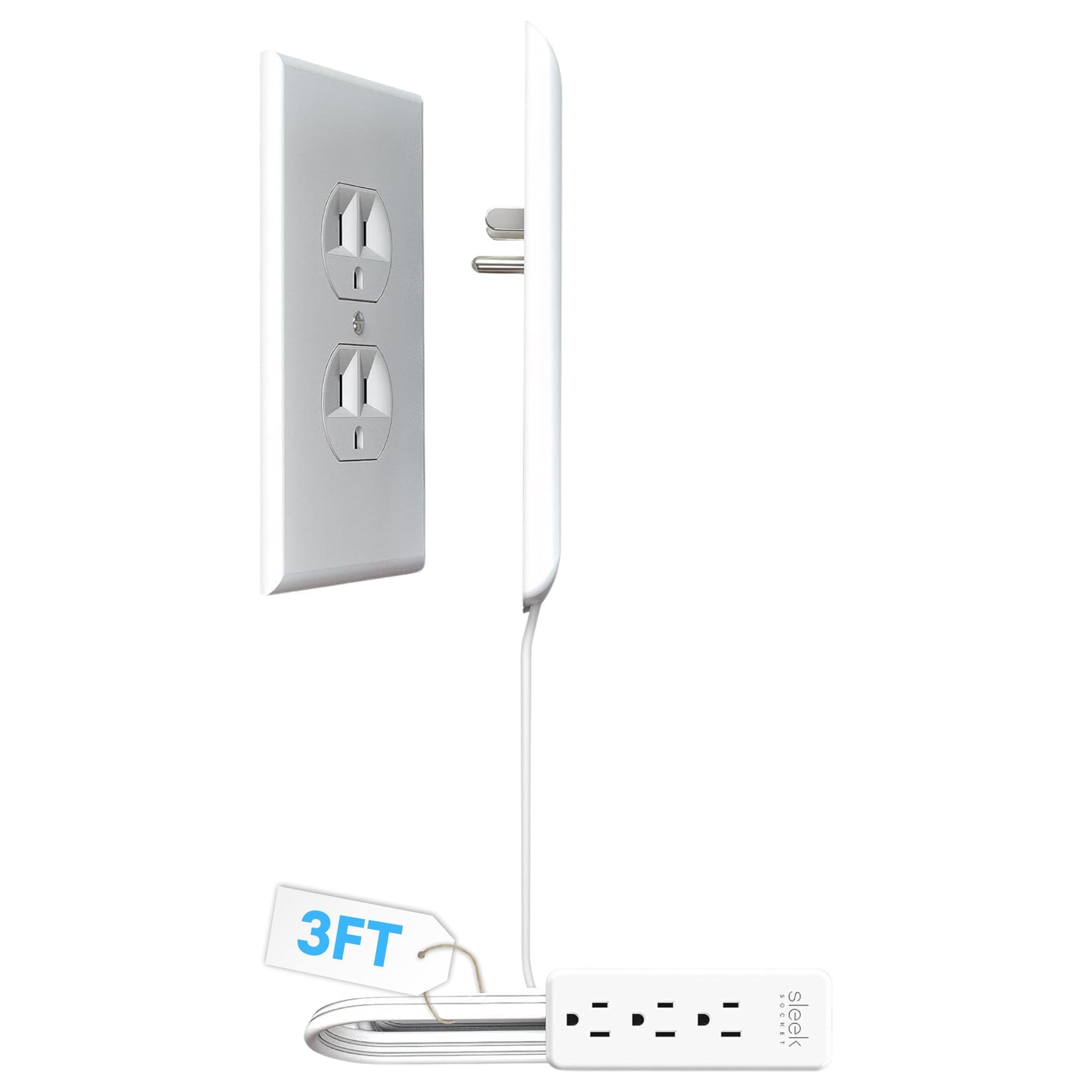
- The flat, wall-hugging design helps manage plugs and cables.
- Attaches to a duplex outlet without tools.
- Includes a 3-outlet power strip and adhesive cord clips.
Best Gift For: Someone organizing cords in a kitchen or concealing outlets behind furniture.
SABRENT SuperSpeed 2-Slot USB 3.0 Card Reader
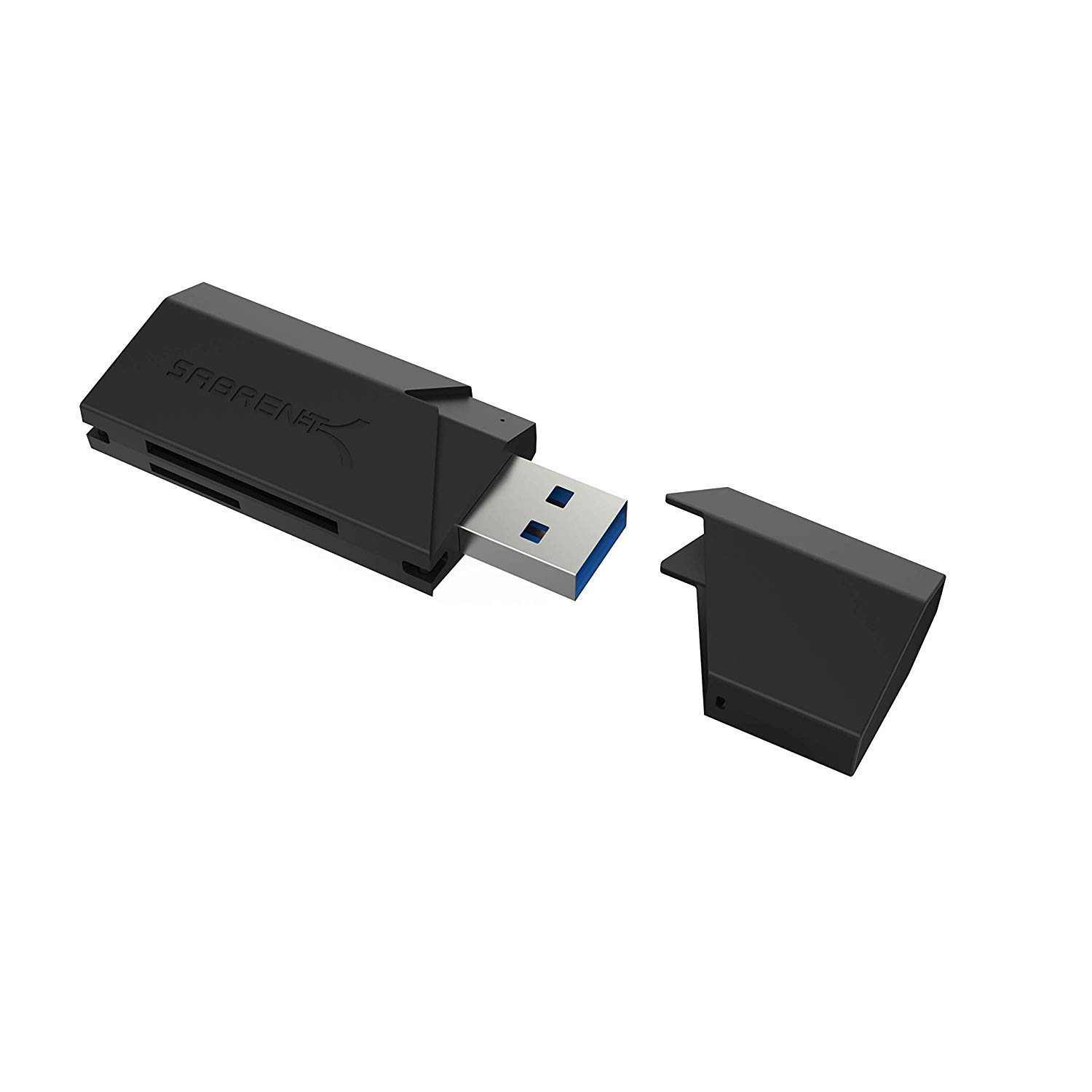
- Supports SD, SDHC, SDXC, MMC, MicroSD, and T-Flash formats.
- Works with USB 2.0 hosts as well as USB 3.0.
- Runs from a USB port without an extra power supply.
Best Gift For: A computer user who transfers files from memory cards.
Choosing gifts for people who love tech around daily routines
For gifts for people who love tech, start with the recipient’s everyday routine. A person who records at home may value an easier desktop setup, while someone who works across devices may appreciate useful connections and comfortable call equipment.
A hobbyist who spends evenings gaming might prefer an input upgrade or a more immersive screen experience.
Think about where the gift will live. Desk space, outlet placement, existing screens, and the devices they already own can all shape whether an accessory fits naturally.
A compact add-on can be useful in a small work area, while a larger entertainment upgrade suits someone with room to make it part of movie or game nights.
When you are unsure, lean toward flexibility and a clear use case. Accessories that work with familiar devices or solve a visible daily annoyance can feel personal without requiring you to guess at a new hobby.
Check the recipient’s current setup where possible, especially before choosing a device with specific connection needs.
Balance budget and usefulness
Set a comfortable spending range before comparing features. A small accessory can make a thoughtful present when it fixes a repeated frustration, while a larger purchase makes sense when you know the recipient has been planning that kind of upgrade.
For gifts for people who love tech, usefulness and fit often matter more than choosing the most elaborate option.
Consider any supporting purchases the recipient might need. A gift that depends on a compatible device, cable, screen, or existing setup can be a good match when those pieces are already in place.
If you are uncertain, look for the compatibility information and confirm what they own before checkout.
Check actual prices when you are ready to buy, since they can change. Compare the practical features the recipient will use with the overall cost, and avoid paying extra for capabilities that do not suit their habits.
A straightforward accessory can be the better choice when it will see regular use.
Personalize the gift and its presentation
Personalization can come from matching a gift to a familiar habit. Think about the person’s work or hobby space, the devices they use most, and the small inconveniences they mention.
Gifts for people who love tech feel more considered when the choice connects to something they already enjoy rather than asking them to change routines.
A short note can explain why you picked it: perhaps it suits their music corner, makes a shared workspace easier to use, or supports their interest in keeping things organized. If you know a favorite color or desk style, use that as a finishing touch without making the product itself carry the whole message.
For presentation, keep useful accessories together and include any cables or small parts that come with the gift. For a larger device, a simple card describing the intended shared use can make the gesture warm and clear.
Save packaging and purchase information in case the recipient needs to check fit or compatibility.
Choose tech gifts with setup in mind
Before buying, verify compatibility with the recipient’s devices and setup. Look at the connections they have, the operating systems they use, and any size or mounting needs that apply.
For items attached to a desk or paired with another device, confirm the surrounding equipment can accommodate them.
Check product details again close to purchase, including dimensions and included accessories. For gifts for people who love tech, a few minutes spent confirming the intended setup can prevent a present from becoming an extra errand.
Ask a trusted family member discreetly if the recipient’s exact model or workspace details are unclear.
Think about timing realistically. Review delivery estimates for the address and date you have in mind, and choose a retailer option that fits your schedule.
If the timing feels uncertain, consider giving a printed note or a small related accessory first, with a clear explanation of the larger gift you have chosen.
A thoughtful last-minute plan
When time is short, choose something with an obvious place in the recipient’s routine and check whether it is compatible before ordering. Useful desk accessories, charging options, or audio gear can work well when you already know their devices and preferences.
Keep the gift focused on a known need instead of guessing at a major setup change.
Review current availability and delivery estimates directly before you commit. If the item may arrive after the occasion, wrap a handwritten note with a small practical companion or a description of the plan.
This makes the timing transparent while keeping the present personal.
For an in-person gift, tidy presentation helps: place smaller pieces in a reusable pouch or box and include a note with the main reason you chose them. For a more involved device, offer help with setup only if the recipient would welcome it.
A considerate choice leaves room for their preferences and their own way of using technology.